How to Embed Stippl Maps on your Website
If you're a travel enthusiast or creator, embedding interactive maps from Stippl onto your website can enhance user engagement and showcase your travel itineraries in a visually appealing way. Here’s a step-by-step guide on how to embed Stippl maps on your website. This process requires you to have a Creator account on Stippl.
Step 1: Sign Up as a Stippl Creator
To get started, you need to become a Creator on Stippl. Follow these steps:
- Go to stippl.io/creators.
- Sign up for a Creator account by following the registration process.
- Once you’ve submitted your information, wait for your account to be approved. This may take a little time, as Stippl reviews creator accounts manually.
- After your account is approved, you’ll have access to features that allow you to create and embed maps.
Step 2: Access the Embed Code for Your Map
Once you’ve created your travel itinerary on Stippl, follow these instructions to get the embed code:
- Log in to your Creator account on Stippl's web platform.
- Open the specific trip you want to embed.
- In the top-right corner of your trip, you’ll find an option to "Embed Map" (as shown in the screenshots provided). Click on this option.
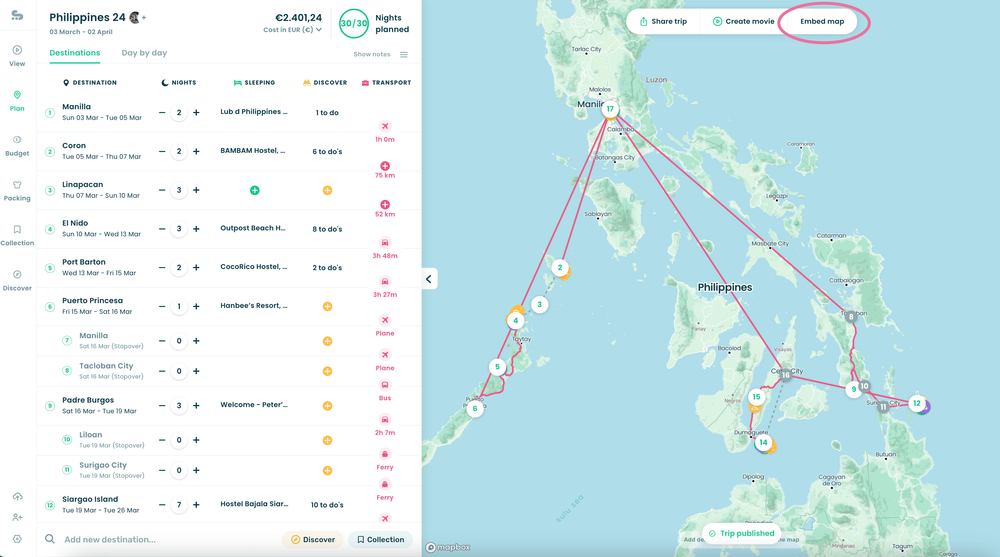
A new window will open with a preview of the map. This allows you to see how the embedded map will appear.
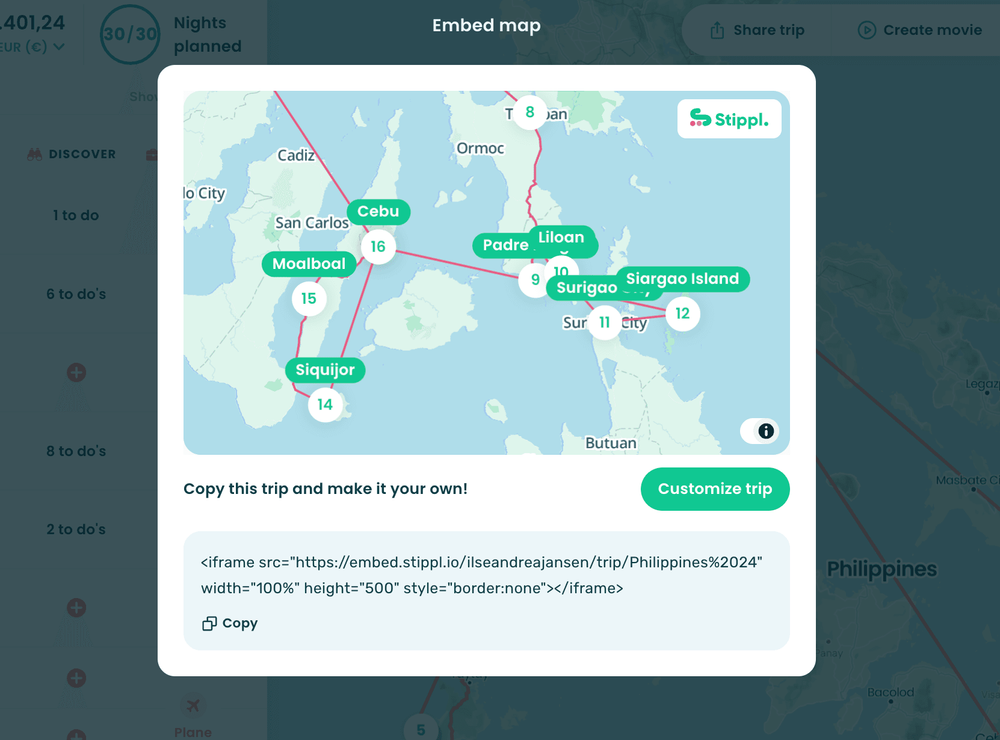
Below the preview, you’ll see an embed code that you can copy. The code will look similar to this:

Step 3: Embedding the Map on Your WordPress Website
Here are two ways to embed the map on your WordPress site, with screenshots to guide you.
Method 1: Embed in a WordPress Post or Page
- Log in to your WordPress Dashboard.
- Go to Posts or Pages and select an existing post/page or create a new one.
- Insert a Custom HTML Block in the Gutenberg Editor: In the Gutenberg (Block) Editor, click the “+” icon to add a block. Search for Custom HTML and select it.
- Paste the Embed Code in the Custom HTML block
- Preview and Publish: Click Preview to ensure it displays correctly. Then click Publish or Update.
And there you go!🥳
Embedding your Stippl map on WordPress enhances your travel blog or site by visually sharing detailed itineraries. Following these steps, along with the screenshots, will help you add these maps effortlessly. Enjoy showcasing your travel adventures!